

Editors no longer have to take generative AI content from Adobe Firefly
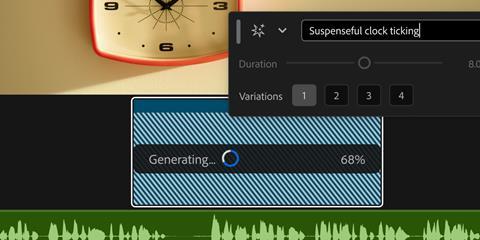
Adobe has added generative AI tools directly into its Premiere and After Effects platforms.
This includes Generative Media Tool, which allows editors to generate video and sound effects directly in the timeline. Users select Generative Media, describe what they want and where they want it, and Premiere then generates context-aware, fully editable video and audio clips. These can use Adobe’s Firefly AI models, as well as partner models including Google Veo, Kling, Runway and Luma.
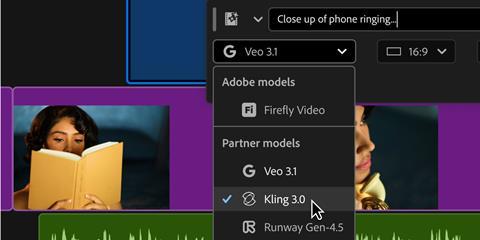
In addition to videos and sound effects, there is Generate Soundscape and Generate Music, both in beta. Soundscape analyses up to 15 seconds of video to automatically generate contextually informed audio with layers of ambience and sound effects customised and timed to their edit, while Music can generate original music with multiple variations to choose from, with controls for tempo and looping. Generated music is commercially safe, with synchronisation rights across any type of media.
Previously, editors would have had to leave Premiere and use Adobe Firefly, before round-tripping content back to Premiere, to use these kinds of tools.
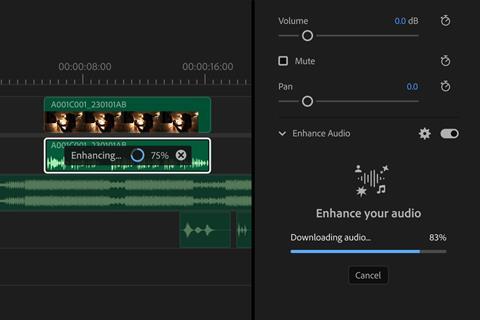
There have also been a number of AI-powered audio tools brought into Premiere, including a public beta of Enhance Audio. This builds on the Enhance Speech tool already in the editing software, and gives control over dialogue, music, ambience and sound effects within a single clip, so users can remove elements, adjust layers or mute dialogue entirely.
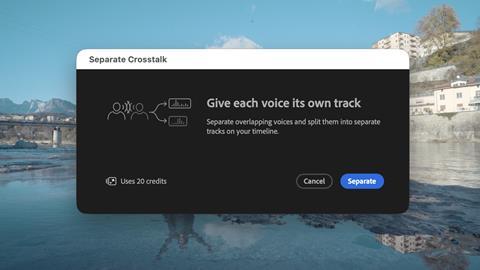
There are also tools to separate crosstalk, Dynamic Auto Ducking to automatically balance different elements, and more.
For After Effects, Adobe has added an AI assistant that has the power to complete tasks. Now in beta, AI Assistant can work across an entire project, with users describing what they want it to do in natural language.
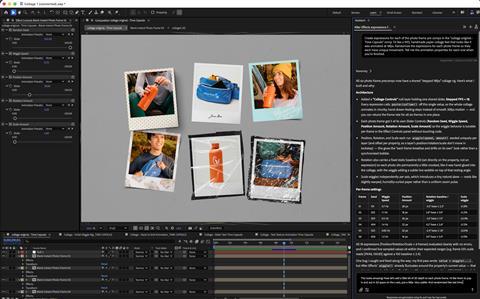
Tasks could include reorganising large projects with thousands of layers, repairing and solving technical issues, and creating sophisticated motion effects like expressions without needing to write code. It can also execute tasks based on direction like inspecting compositions and footage.






No comments yet